HTTP / HTTPS proxies
Private HTTP and HTTPS proxies for browsers.
HTTP and HTTPS proxy plans
Every plan includes both IPv4 and SOCKS5.
Threads are simultaneous connections. The more threads, the higher the parallel load your software can handle.

Pool of 12,000-15,000 IPs
Address rotation
Unlimited traffic
Up to 1,000 threads

Pool of 12,000-15,000 IPs
Address rotation
Unlimited traffic
Up to 1,000 threads

Pool of 12,000-15,000 IPs
Address rotation
Unlimited traffic
Up to 1,000 threads

Pool of 12,000-15,000 IPs
Address rotation
Unlimited traffic
Up to 1,000 threads
Pool of 12,000-15,000 IPs
Address rotation
Unlimited traffic
Up to 3,000 threads
Pool of 12,000-15,000 IPs
Address rotation
Unlimited traffic
Up to 3,000 threads
Pool of 12,000-15,000 IPs
Address rotation
Unlimited traffic
Up to 3,000 threads
Pool of 12,000-15,000 IPs
Address rotation
Unlimited traffic
Up to 3,000 threads
Proxy catalog for your task
Why you need HTTP and HTTPS proxies
HTTP and HTTPS are the most common proxy format for the web. Almost any browser, scraper or program understands it, and setup takes a minute.
An HTTP proxy is accepted by almost any software that reaches the web: browsers, scrapers, rank checkers, SEO tools. Setup anywhere comes down to a couple of fields, which is why web work relies on this type.
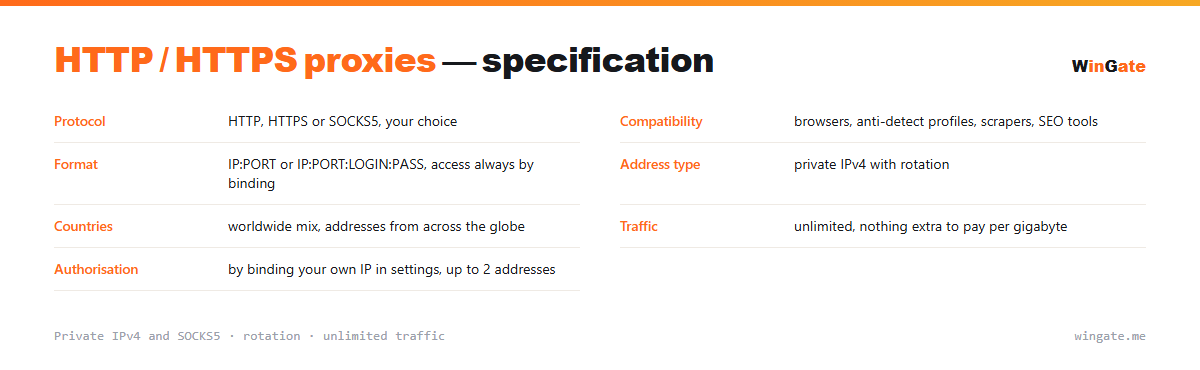
Features of HTTP and HTTPS proxies
HTTP and HTTPS are the most compatible format: browsers, antidetect browsers, scrapers and almost all software understand them without extra setup. HTTPS encrypts the connection, which matters when working with accounts and payments.
Our HTTP/HTTPS proxies are private and work once you bind your IP in the dashboard. For mass requests, turn on rotation; for sessions tied to an account, use one address.
What to look for in HTTP and HTTPS proxies
| Protocol | HTTP, HTTPS or SOCKS5, your choice |
|---|---|
| Compatibility | browsers, anti-detect profiles, scrapers, SEO tools |
| Format | IP:PORT or IP:PORT:LOGIN:PASS, access via IP binding only |
| Address type | private IPv4 with rotation |
| Countries | worldwide mix of countries |
| Traffic | unlimited |
| Authorization | by binding your own IP in settings, up to 2 addresses |
Where HTTP proxies are used and how they connect
The HTTP proxy is the most widely accepted type, and that is its main practical advantage. Browsers support it out of the box, and so do anti-detect browsers, SERP scrapers, catalog scrapers and checkers. There is nothing to install: pick the connection type in the settings and enter the address and port.
In browsers and system settings, HTTP and HTTPS are on separate lines, but you enter the same address and port in both. Anti-detect profiles are even simpler: pick the connection type from a list and enter the address and port next to it.
In scripts an HTTP proxy is set either through a session parameter or through environment variables that most libraries pick up on their own. If your software handles both HTTP and SOCKS5, you will not notice any speed difference; choose SOCKS5 when your traffic goes beyond the web.
The number of addresses follows the number of concurrent threads in your software. One IP shared by a dozen parallel threads takes all the requests and hits limits first.
- Browsers, scrapers and SEO tools accept HTTP with no extra setup
- HTTP and HTTPS are listed separately, with the same address and port
- In scripts, set it with a session parameter or environment variables
- SOCKS5 is the choice when your traffic goes beyond the web
How to set up HTTP and HTTPS proxies
Access works by binding your IP in the dashboard (up to 2 addresses); without that, the proxies will not work in any format. HTTP/HTTPS are set in the browser network settings or in the software: HTTP(S) type, address and port.
For software that needs login and password fields, there is an additional IP:PORT:LOGIN:PASS format. You can check whether the format fits your program on the free test before buying.
How to buy HTTP and HTTPS proxies
The process is simple. Sign up in the dashboard, request a free test of up to 2 hours, bind your IP and open a ticket with an operator to see how the proxies work on your own tasks.
If everything works, choose a package by volume and term, pay in crypto, and access opens right after payment. One free test is available before purchase. For setup questions, open a ticket with support.
FAQ
How does HTTP differ from HTTPS?
HTTPS is HTTP with an encrypted connection, used to work with sites over a secure protocol. Both work on the same address, and the test is the easiest way to see it.
Should I choose HTTP or SOCKS5?
For most web tasks HTTP and HTTPS are enough, while SOCKS5 is handier for non-standard connections. All of them work on the same address, and you can check them during the test.
Can I choose the address country?
You get a rotating pool of private IPv4 from networks around the world. The free test shows whether this fits your task.
See also: private IPv4 proxies, SOCKS5 proxies, proxies for A-Parser, proxies for Screaming Frog, proxies for Netpeak Spider, proxies for Key Collector, proxies for GoLogin, proxies for GSA Search Engine Ranker, full catalog
© WinGate · source of the material · wingate.me/en/proxy/http-https-proxy