Proxies for Screaming Frog
Private IPv4 proxies for Screaming Frog.
Proxy plans for Screaming Frog
Every plan includes both IPv4 and SOCKS5.
Threads are simultaneous connections. The more threads, the higher the parallel load your software can handle.

Pool of 12,000-15,000 IPs
Address rotation
Unlimited traffic
Up to 1,000 threads

Pool of 12,000-15,000 IPs
Address rotation
Unlimited traffic
Up to 1,000 threads

Pool of 12,000-15,000 IPs
Address rotation
Unlimited traffic
Up to 1,000 threads

Pool of 12,000-15,000 IPs
Address rotation
Unlimited traffic
Up to 1,000 threads
Pool of 12,000-15,000 IPs
Address rotation
Unlimited traffic
Up to 3,000 threads
Pool of 12,000-15,000 IPs
Address rotation
Unlimited traffic
Up to 3,000 threads
Pool of 12,000-15,000 IPs
Address rotation
Unlimited traffic
Up to 3,000 threads
Pool of 12,000-15,000 IPs
Address rotation
Unlimited traffic
Up to 3,000 threads
Proxy catalog for your task
Why Screaming Frog needs proxies
Screaming Frog SEO Spider scans a site and collects technical data for audits. On large and frequent crawls, requests from one address hit site limits and the crawl slows down.
A crawler sends a dense stream of requests to one domain, and on large sites it runs into the site's limits long before it runs into your bandwidth. A proxy keeps the crawl from looking like load from a single source.
Features of proxies for Screaming Frog
Screaming Frog SEO Spider crawls large sites with thousands of URLs during technical audits, and a big crawl from one IP hits server limits. A pool spreads the crawl across addresses.
You get private IPv4 over HTTP, HTTPS or SOCKS5, as IP:PORT bound to your IP or as IP:PORT:LOGIN:PASS. Where the program takes a single IP, binding is enough, and where it takes a list, the number of addresses depends on crawl threads.
What proxies you need for Screaming Frog
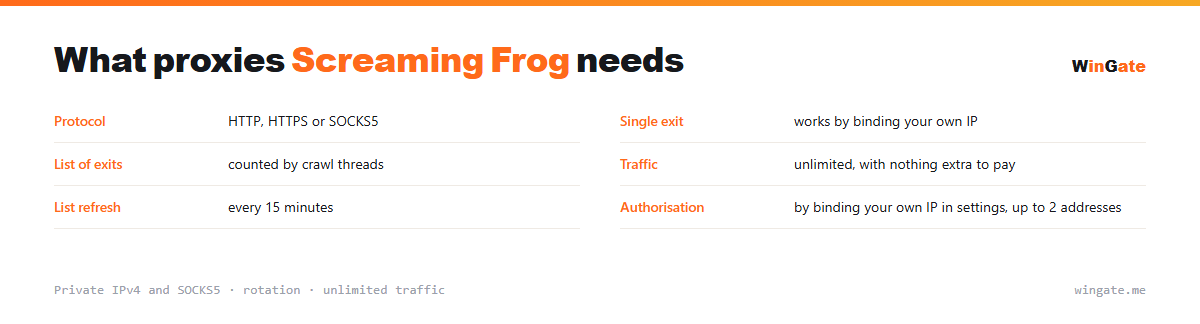
| Protocol | HTTP, HTTPS or SOCKS5 |
|---|---|
| Single IP | works by binding your own IP |
| IP list | counted by crawl threads |
| Traffic | unlimited |
| List refresh | every 15 minutes |
| Authorization | by binding your own IP in settings, up to 2 addresses |
How to connect a proxy in Screaming Frog
Crawlers differ in how many addresses they will accept: some work from a list, some take only one IP for the whole session. In the second case it is simple: enter your own IP in the dashboard settings, work through binding, and lower the crawl speed in the program's own settings.
Where a list is accepted, get as many addresses as you run crawl threads at once, plus some spare. The thread limit comes with the package and does not stack across packages, so a large project means a larger package.
Traffic adds up quickly during a crawl, since full pages come down with their markup and assets. Here it is unmetered: nothing is charged per gigabyte, and the only limit is the number of threads. A similar case is covered on the page about Netpeak Spider.
- Where the program takes one IP, use binding
- With a list, the number of addresses depends on crawl threads
- Traffic is unmetered; the only limit is threads
- Crawl speed is set in the program's own settings
How to connect proxies in Screaming Frog
To use the pool, bind the IP of the machine that runs your proxy software (a server or a home PC) in the settings. No binding, no access. The main format is IP:PORT, plus IP:PORT:LOGIN:PASS for programs that require a login and password.
In Screaming Frog, proxies are set in Configuration → System → Proxy: address and port in IP:PORT format, with authorization. Type: HTTP.
Test the setup on a small crawl first. The free test will show how many addresses you need for a site of your size.
How to buy proxies for Screaming Frog
The process is simple. Sign up in the dashboard, request a free test of up to 2 hours, bind your IP and message support through a ticket to check the setup with Screaming Frog on your own tasks.
If everything works, choose a package by thread count and term, pay in crypto, and access opens right after payment. Take the free test first; it is available once. Support handles questions in tickets.
FAQ
Will these proxies work with Screaming Frog?
Screaming Frog takes a proxy as host and port in its configuration and supports HTTP. You can try a private address from the pool on the free test.
Can I change the address between crawls?
Addresses in the pool refresh on rotation every 15 minutes, so between projects you work with different IPs. It is easier to split a long crawl into sessions.
Which protocol does Screaming Frog support?
Screaming Frog works with HTTP proxies, set under System > Proxy. The test will show how your site crawl goes.
See also: proxies for A-Parser, proxies for Netpeak Spider, proxies for Key Collector, proxies for scraping, proxies for price monitoring, proxies for SEO, private IPv4 proxies, proxies for CapMonster, full catalog
© WinGate · source of the material · wingate.me/en/proxy/screaming-frog-proxy