Proxies for Telegram
Private proxies for Telegram accounts.
Proxy plans for Telegram
Every plan includes both IPv4 and SOCKS5.
Threads are simultaneous connections. The more threads, the higher the parallel load your software can handle.

Pool of 12,000-15,000 IPs
Address rotation
Unlimited traffic
Up to 1,000 threads

Pool of 12,000-15,000 IPs
Address rotation
Unlimited traffic
Up to 1,000 threads

Pool of 12,000-15,000 IPs
Address rotation
Unlimited traffic
Up to 1,000 threads

Pool of 12,000-15,000 IPs
Address rotation
Unlimited traffic
Up to 1,000 threads
Pool of 12,000-15,000 IPs
Address rotation
Unlimited traffic
Up to 3,000 threads
Pool of 12,000-15,000 IPs
Address rotation
Unlimited traffic
Up to 3,000 threads
Pool of 12,000-15,000 IPs
Address rotation
Unlimited traffic
Up to 3,000 threads
Pool of 12,000-15,000 IPs
Address rotation
Unlimited traffic
Up to 3,000 threads
Proxy catalog for your task
Why you need proxies for Telegram
Telegram proxies are used for running channels and bots, managing several accounts and collecting data. When several profiles or threads run from one address, the platform shows a captcha and asks for verification.
When you go too fast, the server tells you how many seconds to wait, and you have to wait exactly that long: trying to beat it only makes the wait longer. The pool has a second job: keeping sessions and accounts on separate addresses so the platform does not link them together.
Features of proxies for Telegram
Telegram works over SOCKS5 and stays available where a direct connection fails, and when you run several accounts, each one needs its own address. Otherwise the accounts get linked.
You get private IPv4 over HTTP, HTTPS or SOCKS5, as IP:PORT bound to your IP or as IP:PORT:LOGIN:PASS. Every account keeps its own IP, and bot traffic and public data collection are spread across the pool and sized by thread count.
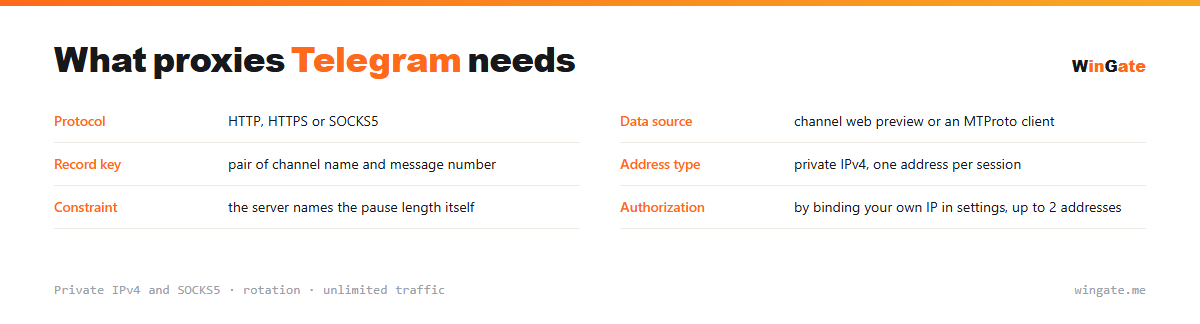
What proxies you need for Telegram
| Protocol | HTTP, HTTPS or SOCKS5 |
|---|---|
| Data source | channel web preview or an MTProto client |
| Record key | pair of channel name and message number |
| Address type | private IPv4, one address per session |
| Constraint | the server sets the wait time itself |
| Authorization | by binding your own IP in settings, up to 2 addresses |
What to account for when collecting public Telegram data
There are two sources here, and the choice depends on volume. A public channel has a web preview at t.me/s/channel, where recent posts come as plain HTML, and for reading that is the simplest option. For real volume, use MTProto client libraries: they are more reliable than parsing the preview and return structured messages with all fields.
Each post has a number within its channel, and the database key is the channel name plus that number. The number is unique only inside its own channel, so storing it alone is meaningless.
The main constraint here is how the server behaves once the rate is exceeded. It tells you to wait and gives the exact number of seconds. Running requests in parallel only gets you there faster, so scale by adding sessions on different addresses.
- The web preview suits reading, the libraries suit volume
- The record key is the pair of channel and message number
- Wait out the full pause the server gives you
- Each session needs its own address, a shared IP links accounts
How to set up proxies for Telegram
To start, bind your IP in the settings, meaning the server or home computer where your proxy software runs. Without it, there is no connection. Two formats are available: the standard IP:PORT and IP:PORT:LOGIN:PASS for software with login and password fields.
In Telegram a proxy is added in Settings → Data and Storage → Proxy (or Proxy Settings): SOCKS5 type, address, port, login and password. Format IP:PORT.
The connection icon shows right away whether it works. The connection stability for your account or bot is easy to check on the free test.
How to buy proxies for Telegram
The process is simple. Sign up in the dashboard, request a free test of up to 2 hours, bind your IP and message support through a ticket to check the setup on your own Telegram tasks.
Select a package for your volume and term, complete the crypto payment, and the proxies become available as soon as it clears. One free test is available before purchase. For setup questions, open a ticket with support.
FAQ
Will these proxies work with Telegram?
For automation, scraping and multi-profile work, HTTP, HTTPS and SOCKS5 in IP:PORT format all work. The free test shows whether it fits your task.
Are they good for running accounts long-term?
A rotating pool suits automation, scraping and multi-profile work. Check this in advance and confirm it during the test.
Are there enough addresses for several profiles?
The rotating pool of 12,000-15,000 IPv4 gives each profile a different address; the number of threads depends on the package.
See also: proxies for Instagram, proxies for VK, proxies for YouTube, proxies for SMM, proxies for Steam, proxies for Meta Ads, proxies for airdrops, proxies for multiaccounting, full catalog
© WinGate · source of the material · wingate.me/en/proxy/telegram-proxy