Proxies for YouTube
Private proxies for YouTube accounts.
Proxy plans for YouTube
Every plan includes both IPv4 and SOCKS5.
Threads are simultaneous connections. The more threads, the higher the parallel load your software can handle.

Pool of 12,000-15,000 IPs
Address rotation
Unlimited traffic
Up to 1,000 threads

Pool of 12,000-15,000 IPs
Address rotation
Unlimited traffic
Up to 1,000 threads

Pool of 12,000-15,000 IPs
Address rotation
Unlimited traffic
Up to 1,000 threads

Pool of 12,000-15,000 IPs
Address rotation
Unlimited traffic
Up to 1,000 threads
Pool of 12,000-15,000 IPs
Address rotation
Unlimited traffic
Up to 3,000 threads
Pool of 12,000-15,000 IPs
Address rotation
Unlimited traffic
Up to 3,000 threads
Pool of 12,000-15,000 IPs
Address rotation
Unlimited traffic
Up to 3,000 threads
Pool of 12,000-15,000 IPs
Address rotation
Unlimited traffic
Up to 3,000 threads
Proxy catalog for your task
Why you need proxies for YouTube
YouTube is used for channel promotion, running several accounts and collecting data. When several profiles or threads run from one address, the platform shows a captcha and asks for verification.
Volume builds fast here: a channel with a thousand videos and a clip with a hundred thousand comments mean tens of thousands of calls. One address cannot handle that load and gets throttled. A pool spreads it out so collection runs evenly.
Features of proxies for YouTube
On YouTube people run several channels, boost activity and scrape data, and several accounts on one IP quickly run into limits. Uploads and views from different addresses keep channels separate.
You get private IPv4 over HTTP, HTTPS or SOCKS5, as IP:PORT bound to your IP or as IP:PORT:LOGIN:PASS. Each channel stays on one fixed IP. Public data collection is spread across the pool and sized by thread count.
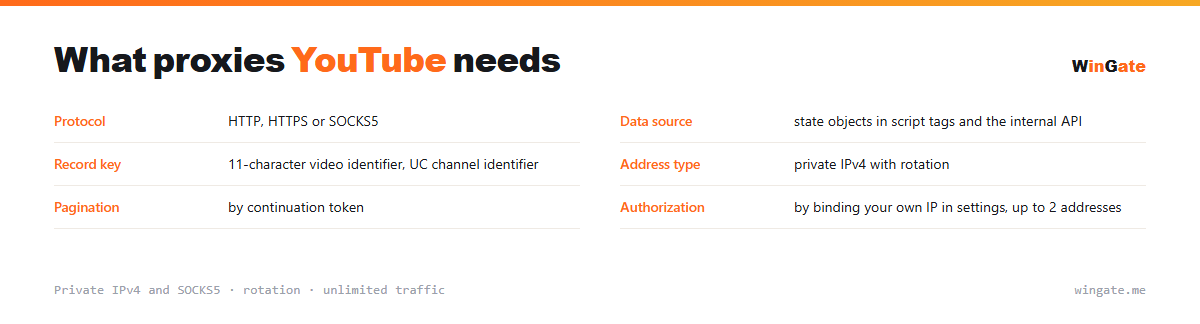
What proxies you need for YouTube
| Protocol | HTTP, HTTPS or SOCKS5 |
|---|---|
| Data source | state objects in script tags and the internal API |
| Record key | 11-character video identifier, UC channel identifier |
| Address type | private IPv4 with rotation |
| Pagination | by continuation token |
| Authorization | by binding your own IP in settings, up to 2 addresses |
What to keep in mind when collecting YouTube data
The markup here is nearly empty, because the page is assembled by scripts in the browser. It does contain large state objects inside script tags, though, with the video data, the feed structure and the tokens for loading the next batch. They are pulled with a regex and parsed as JSON, with no browser involved.
The second source is the internal API the site itself uses. It returns structured JSON to requests with a body, in the same form the interface itself receives.
A video has an eleven-character identifier in a URL parameter; a channel has a stable identifier with a UC prefix plus a separate handle the owner can change. Store the ID in your database. Comments are paged with a continuation token: each response returns the token for the next batch, until no token comes back.
- Counts are rounded and localized, so use raw values for accuracy
- A channel handle can change; the UC ID stays fixed
- Comments are paged by continuation token
- Some videos are blocked in certain countries, so set the region explicitly
How to set up proxies for YouTube
Access opens once you bind your IP in the settings. That is the address of the server or home computer where your software runs; without it, nothing will connect. It comes in two formats: IP:PORT as the main one, and IP:PORT:LOGIN:PASS for programs with login and password fields.
For YouTube, set the proxy in the antidetect browser for each channel or in your software: IP:PORT format, HTTP or SOCKS5.
Check the setup before you start. The free test shows how many addresses you need for your number of channels.
How to buy proxies for YouTube
The process is simple. Sign up in the dashboard, request a free test of up to 2 hours, bind your IP and open a ticket with the operator to check the setup for YouTube on your own tasks.
If everything works for you, choose a package by volume and term, pay in crypto, and access is activated automatically. One free test is available before purchase. For setup questions, open a ticket with support.
FAQ
Will these proxies work with YouTube?
For automation, scraping and multi-profile work, HTTP, HTTPS and SOCKS5 in IP:PORT format all work. The free test shows whether it fits your task.
Are they good for running accounts long-term?
A rotating pool suits automation, scraping and multi-profile work. Check this in advance and confirm it during the test.
Are there enough addresses for several profiles?
The rotating pool of 12,000-15,000 IPv4 gives each profile a different address; the number of threads depends on the package.
See also: buy proxies for Telegram, buy proxies for Instagram, buy proxies for VK, buy proxies for SMM, buy proxies for Steam, buy proxies for Meta Ads, buy proxies for email campaigns, buy proxies for Avito, full catalog
© WinGate · source of the material · wingate.me/en/proxy/youtube-proxy