Proxies for Steam
Private proxies for Steam accounts.
Proxy plans for Steam
Every plan includes both IPv4 and SOCKS5.
Threads are simultaneous connections. The more threads, the higher the parallel load your software can handle.

Pool of 12,000-15,000 IPs
Address rotation
Unlimited traffic
Up to 1,000 threads

Pool of 12,000-15,000 IPs
Address rotation
Unlimited traffic
Up to 1,000 threads

Pool of 12,000-15,000 IPs
Address rotation
Unlimited traffic
Up to 1,000 threads

Pool of 12,000-15,000 IPs
Address rotation
Unlimited traffic
Up to 1,000 threads
Pool of 12,000-15,000 IPs
Address rotation
Unlimited traffic
Up to 3,000 threads
Pool of 12,000-15,000 IPs
Address rotation
Unlimited traffic
Up to 3,000 threads
Pool of 12,000-15,000 IPs
Address rotation
Unlimited traffic
Up to 3,000 threads
Pool of 12,000-15,000 IPs
Address rotation
Unlimited traffic
Up to 3,000 threads
Proxy catalog for your task
Why you need proxies for Steam
Steam proxies are used for access, trading, running several accounts and collecting data. When several profiles or threads run from one address, the platform shows a captcha and asks for verification.
The market endpoints here have strict per-address rate limits, and once you go over them you get errors and no prices. A pool spreads requests so each address stays under its limit and the run keeps going.
Features of proxies for Steam
On Steam, people run several game accounts, trade items and track regional prices, and several logins from one IP lead to limits and security checks. A separate address per account lowers the risk.
You get private IPv4 over HTTP, HTTPS or SOCKS5, as IP:PORT bound to your IP or as IP:PORT:LOGIN:PASS. A game account stays on one fixed IP, because a sudden IP change mid-session looks like the account has been hijacked.
What proxies you need for Steam
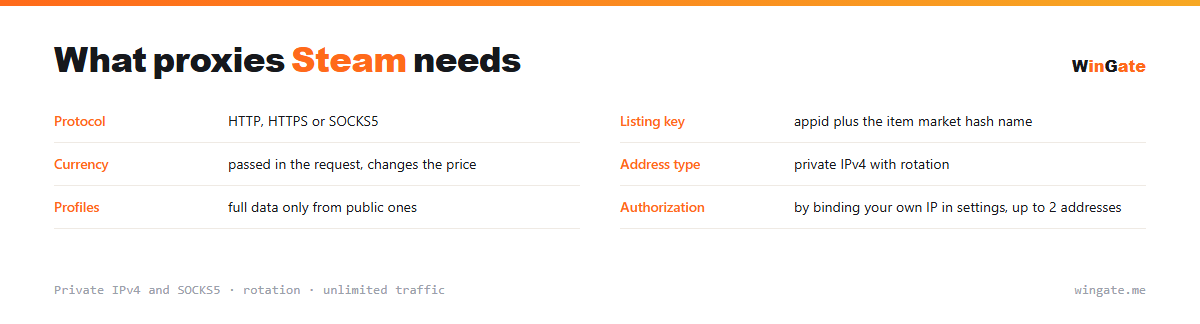
| Protocol | HTTP, HTTPS or SOCKS5 |
|---|---|
| Listing key | appid plus the item market hash name |
| Currency | passed in the request, changes the price |
| Address type | private IPv4 with rotation |
| Profiles | full data only from public ones |
| Authorization | by binding your own IP in settings, up to 2 addresses |
Proxies for Steam: one account, one address
A listing on the market is identified by two values together: the numeric appid of the game and the item's market hash name. Neither works alone, and both go into the database as a compound key.
The current price comes from one endpoint that takes the appid, currency code and item name, and the price history comes from another. Currency and country change market prices, so the currency code is passed in the request. Fields worth collecting: lowest and median price, trading volume, and, from the item page, wear and rarity where they apply.
Profiles differ by privacy setting, and only public ones return a full inventory and history. Skip private ones, otherwise the run wastes requests on profiles that will never return data.
- A listing is identified by appid and item name together
- The currency code is passed explicitly
- Only public profiles return full inventory and history
- Market endpoints are limited per address
How to set up proxies for Steam
Access opens once you bind your IP in the settings. That is the address of the server or home computer where your software runs; without it, nothing will connect. It comes in two formats: IP:PORT as the main one, and IP:PORT:LOGIN:PASS for programs with login and password fields.
For Steam, set proxies per account in your antidetect browser or in the system network settings, in IP:PORT format, HTTP or SOCKS5.
Check the setup before you log in. You can check connection stability for your Steam accounts on the free test.
How to buy proxies for Steam
The process is simple. Sign up in the dashboard, request a free test of up to 2 hours, bind your IP and message support through a ticket to check the setup on your own Steam tasks.
If everything works for you, choose a package by volume and term, pay in crypto, and access is activated automatically. The free test runs once, before you pay. Support answers in tickets.
FAQ
Will these proxies work with Steam?
For automation, scraping and multi-profile work, HTTP, HTTPS and SOCKS5 in IP:PORT format all work. The free test shows whether it fits your task.
Are they good for running accounts long-term?
A rotating pool suits automation, scraping and multi-profile work. Check this in advance and confirm it during the test.
Are there enough addresses for several profiles?
The rotating pool of 12,000-15,000 IPv4 gives each profile a different address; the number of threads depends on the package.
See also: proxies for Telegram, proxies for Instagram, proxies for VK, proxies for YouTube, proxies for SMM, proxies for Meta Ads, proxies for mining, SOCKS5 proxies, full catalog
© WinGate · source of the material · wingate.me/en/proxy/steam-proxy