Proxies for Selenium
A pool of private IPv4 and SOCKS5 proxies for Selenium.
Proxy plans for Selenium
Every plan includes both IPv4 and SOCKS5.
Threads are simultaneous connections. The more threads, the higher the parallel load your software can handle.

Pool of 12,000-15,000 IPs
Address rotation
Unlimited traffic
Up to 1,000 threads

Pool of 12,000-15,000 IPs
Address rotation
Unlimited traffic
Up to 1,000 threads

Pool of 12,000-15,000 IPs
Address rotation
Unlimited traffic
Up to 1,000 threads

Pool of 12,000-15,000 IPs
Address rotation
Unlimited traffic
Up to 1,000 threads
Pool of 12,000-15,000 IPs
Address rotation
Unlimited traffic
Up to 3,000 threads
Pool of 12,000-15,000 IPs
Address rotation
Unlimited traffic
Up to 3,000 threads
Pool of 12,000-15,000 IPs
Address rotation
Unlimited traffic
Up to 3,000 threads
Pool of 12,000-15,000 IPs
Address rotation
Unlimited traffic
Up to 3,000 threads
Proxy catalog for your task
Why Selenium needs proxies
Selenium drives a browser through WebDriver and is used for testing and data collection. In parallel tests or scraping, all sessions come from one address, so sites quickly show captchas and slow you down.
Selenium drives an ordinary browser, so the proxy is configured in the browser itself. Everything else follows from that: the address is set per browser instance, and password authentication takes extra work.
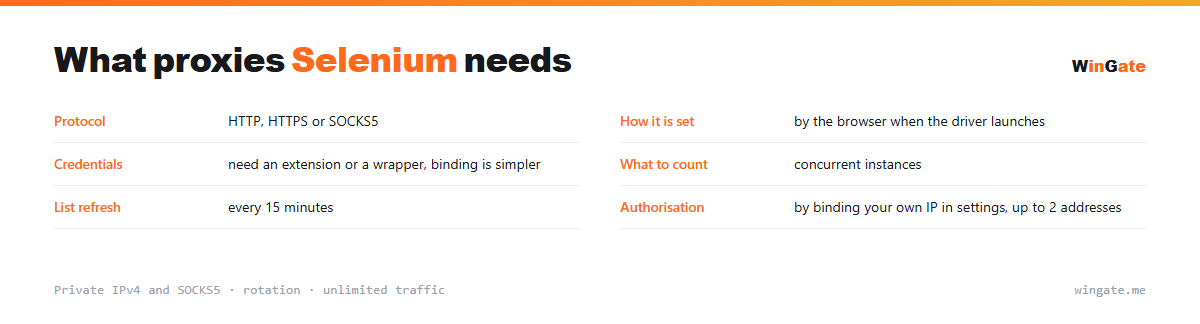
Features of proxies for Selenium
Selenium automates a real browser, and when you run many sessions in parallel, each one needs its own IP, otherwise the site sees them all as one source. Multi-thread automation needs a pool.
You get private IPv4 over HTTP, HTTPS or SOCKS5, as IP:PORT bound to your IP or as IP:PORT:LOGIN:PASS. Binding your own IP solves this, since it gets rid of the browser authentication popup that the driver cannot close.
What proxies you need for Selenium
| Protocol | HTTP, HTTPS or SOCKS5 |
|---|---|
| How to set it | in the browser when the driver starts it |
| Credentials | need an extension or a wrapper, binding is simpler |
| What to count | concurrent instances |
| List refresh | every 15 minutes |
| Authorization | by binding your own IP in settings, up to 2 addresses |
Setting a proxy in Selenium and getting rid of the auth popup
The launch argument that passes the proxy address to the browser cannot take a login and password: they are either ignored or trigger an authentication popup that the driver cannot close on its own. The usual answers are an extension that fills the pair in, a wrapper around the driver, or doing without credentials entirely.
That last route is shorter. Enter your own IP in the dashboard settings and the list works through binding, so the browser only needs the address and port.
Two more things to watch are name resolution and instance count. One IP shared by a dozen parallel browsers takes all the requests and hits the limit first, so get enough addresses for the instances you run at once, plus some spare. A similar setup is covered on the page about Puppeteer.
- A login and password pair will not work in the launch argument
- Binding your own IP, which is required anyway, gets rid of the authentication popup
- The address is set per browser instance
- The number of addresses depends on how many instances run at once
How to connect proxies in Selenium
To start, bind your IP in the settings, meaning the server or home computer where your proxy software runs. Without it, there is no connection. Two formats are available: the standard IP:PORT and IP:PORT:LOGIN:PASS for software with login and password fields.
In Selenium, the proxy is set through driver options (the --proxy-server argument for Chrome, or selenium-wire for authorization), in IP:PORT format, HTTP or SOCKS5.
Test the setup on a couple of sessions first. The free test will show how many addresses you need for the number of sessions you run in parallel.
How to buy proxies for Selenium
The process is simple. Sign up in the dashboard, request a free test of up to 2 hours, bind your IP and message support through a ticket to check the setup with Selenium on your own tasks.
If everything works for you, pick a package that covers your threads and term, pay in crypto, and access is activated right after payment. The test is free and you can take it once before buying. Support works through tickets.
FAQ
Will these proxies work with Selenium?
Selenium takes proxies through driver options in HTTP, HTTPS and SOCKS5, and our IP:PORT format works as is. The free test shows exactly what your thread count needs.
How many threads can I run?
The thread limit and the number of bound IPs depend on the package you choose, and the pool of 12,000-15,000 IPv4 addresses gives parallel sessions separate IPs.
Which protocol should I choose, HTTP or SOCKS5?
For most Selenium scenarios either one works; SOCKS5 is better for non-standard connections. Try both and keep the one that runs more smoothly.
See also: proxies for BAS, proxies for Puppeteer, proxies for Python scripts, proxies for ZennoPoster, proxies for AMS Enterprise, proxies for A-Parser, proxies for Midjourney, proxies for CapMonster, full catalog
© WinGate · source of the material · wingate.me/en/proxy/selenium-proxy