Proxies for Octo Browser
A pool of private IPv4 and SOCKS5 for Octo Browser profiles.
Proxy plans for Octo Browser
Every plan includes both IPv4 and SOCKS5.
Threads are simultaneous connections. The more threads, the higher the parallel load your software can handle.

Pool of 12,000-15,000 IPs
Address rotation
Unlimited traffic
Up to 1,000 threads

Pool of 12,000-15,000 IPs
Address rotation
Unlimited traffic
Up to 1,000 threads

Pool of 12,000-15,000 IPs
Address rotation
Unlimited traffic
Up to 1,000 threads

Pool of 12,000-15,000 IPs
Address rotation
Unlimited traffic
Up to 1,000 threads
Pool of 12,000-15,000 IPs
Address rotation
Unlimited traffic
Up to 3,000 threads
Pool of 12,000-15,000 IPs
Address rotation
Unlimited traffic
Up to 3,000 threads
Pool of 12,000-15,000 IPs
Address rotation
Unlimited traffic
Up to 3,000 threads
Pool of 12,000-15,000 IPs
Address rotation
Unlimited traffic
Up to 3,000 threads
Proxy catalog for your task
Why use proxies for Octo Browser
Octo Browser is an antidetect browser for working with many profiles in parallel, each with its own fingerprints, cookies and network settings. Without separate addresses, all profiles connect from one IP, and platforms link them together.
People choose the program for working with many profiles at once, and on a mass launch it all comes down to latency. A slow address drags out startup and breaks sessions, so you need both plenty of addresses from the pool and low ping.
Features of proxies for Octo Browser
Octo Browser is valued for speed and handy tags for hundreds of profiles, so the proxy setup must not slow down a mass launch. Addresses are added as a list and spread across profiles, with SOCKS5 and HTTP support.
Low ping is critical here: on a slow connection, Octo loses its main advantage, which is speed. For warm-up, use one address from the pool per profile; for mass actions and scraping, turn on rotation.
What proxies you need for Octo Browser
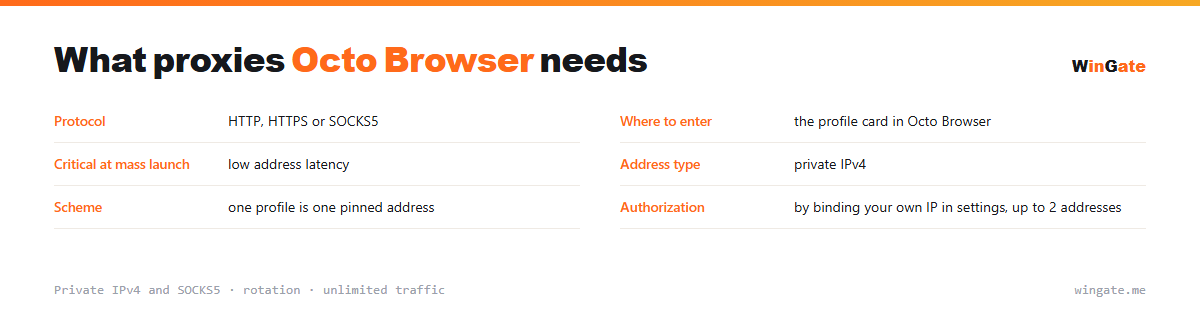
| Protocol | HTTP, HTTPS or SOCKS5 |
|---|---|
| Where to set it | the profile card in Octo Browser |
| Critical on a mass launch | low latency |
| Address type | private IPv4 |
| Setup | one pinned address per profile |
| Authorization | by binding your own IP in settings, up to 2 addresses |
Proxies for launching Octo Browser profiles in bulk
When there are a handful of profiles, address speed hardly matters. When dozens launch in a batch, things change: every profile starts a browser, loads a page and restores a session, all through its own IP. On slow addresses startup drags, some profiles do not finish loading, and sessions break midway.
So for mass work, pick addresses by response time and by country. You can check this before a live run: open several profiles at once and watch how long each one takes to load.
The pinning rule stays the same: one profile, one address, and it should not change. Here rotation is useful only for tasks without an account login; anything involving sessions needs a fixed IP.
- On a mass launch, IP latency matters more than its country
- Check response time on a batch of profiles before a live run
- The rule holds: one profile, one pinned address
- Match the number of simultaneous profiles to the threads in your plan
How to connect proxies in Octo Browser
To use the pool, bind the IP of the machine that runs your proxy software (a server or a home PC) in the settings. No binding, no access. The main format is IP:PORT, plus IP:PORT:LOGIN:PASS for programs that require a login and password.
In Octo Browser, you add a proxy when creating a profile or as a list through the proxy manager: IP:PORT format, SOCKS5 and HTTP supported. Tags make it quick to assign addresses to groups of profiles.
Check the connection in the interface before launch. You can check how speed holds up with your number of profiles on the free test before buying.
How to buy proxies for Octo Browser
The process is simple. Sign up in the dashboard, request a free test of up to 2 hours, bind your IP and open a ticket with an operator to check the setup with Octo Browser on your own tasks.
If everything works, choose a package by the number of addresses for your profiles and the term, pay in crypto, and access opens right after payment. Take the free test first; it is available once. Support handles questions in tickets.
FAQ
Will these proxies work with Octo Browser?
Octo Browser accepts HTTP, HTTPS and SOCKS5 proxies in IP:PORT format, the same format we issue. The free test shows how well they suit multi-profile work and scraping.
Can I add addresses to all profiles at once?
In Octo Browser addresses are loaded as a list and distributed across profiles; the volume depends on the package. New IPs come from the rotating pool.
Are they suitable for running accounts long-term?
For multi-profile scraping and automation, rotation works smoothly; to keep one account on one address long-term, people usually take a single address from the pool. The test shows how your workflow runs.
See also: buy proxies for Dolphin Anty, buy proxies for AdsPower, buy proxies for GoLogin, buy proxies for Multilogin, buy proxies for multiaccounting, buy proxies for Telegram, buy proxies for Wildberries, buy proxies for Ozon, full catalog
© WinGate · source of the material · wingate.me/en/proxy/octo-browser-proxy