Free proxy test
A free test of up to two hours on the private pool before you pay.
Plans to choose after the free test
Every plan includes both IPv4 and SOCKS5.
Threads are simultaneous connections. The more threads, the higher the parallel load your software can handle.

Pool of 12,000-15,000 IPs
Address rotation
Unlimited traffic
Up to 1,000 threads

Pool of 12,000-15,000 IPs
Address rotation
Unlimited traffic
Up to 1,000 threads

Pool of 12,000-15,000 IPs
Address rotation
Unlimited traffic
Up to 1,000 threads

Pool of 12,000-15,000 IPs
Address rotation
Unlimited traffic
Up to 1,000 threads
Pool of 12,000-15,000 IPs
Address rotation
Unlimited traffic
Up to 3,000 threads
Pool of 12,000-15,000 IPs
Address rotation
Unlimited traffic
Up to 3,000 threads
Pool of 12,000-15,000 IPs
Address rotation
Unlimited traffic
Up to 3,000 threads
Pool of 12,000-15,000 IPs
Address rotation
Unlimited traffic
Up to 3,000 threads
Proxy catalog for your task
Why test proxies first
Proxies only prove themselves on a real task. A spec sheet says nothing about how a pool behaves on your specific targets and inside your own software.
There is no way to say in advance whether a given pool suits a given task: every platform sets its own limits and has its own history. That is why you get a free test of up to 2 hours before you buy, and you decide based on results from your own targets.
What the free test covers
The test runs on the same private pool as the paid packages: 12,000 to 15,000 IPv4 in rotation, a worldmix of countries, and a choice of IPv4 or SOCKS5.
The test is given once before purchase. The point is to see how the proxies work on your own tasks before buying.
What to check on the free test
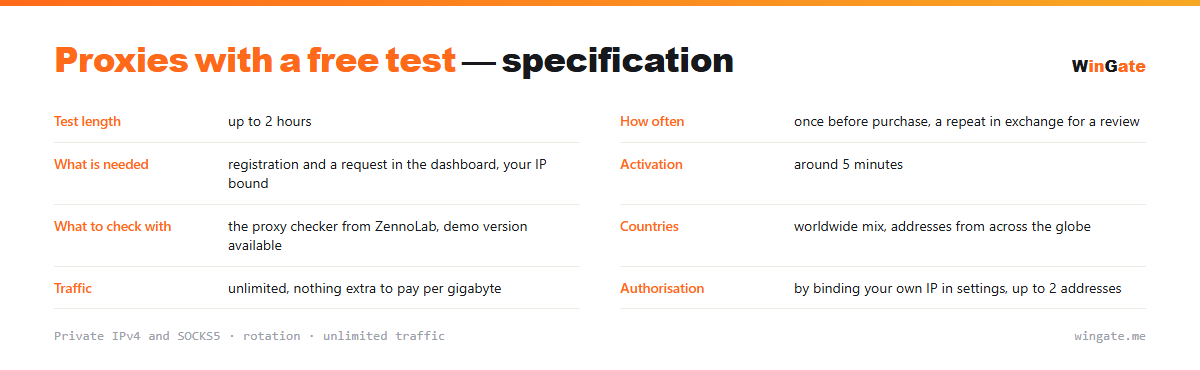
| Test length | up to 2 hours |
|---|---|
| How often | once before purchase, a second one in exchange for a review |
| What you need | sign-up, a request in the dashboard and a bound IP |
| Activation | around 5 minutes |
| What to check with | the proxy checker from ZennoLab, demo version available |
| Countries | worldwide mix of countries |
| Traffic | unlimited |
| Authorization | by binding your own IP in settings, up to 2 addresses |
What to check on the free proxy test
The test is worth planning in advance, because two hours go quickly. The first thing to check is the setup itself: bind your IP in settings, get the list, load it into your software and make sure it connects. Activation of the bound address takes around 5 minutes, so plan for it.
Then comes the part everything else was for. Run your scraper against a real target at the pace you plan to work at, and watch the failure rate: how many requests go through, how many hit a challenge, how many come back empty. That rate tells you whether the pool fits the task.
It is also the time to work out what package size you need. If you hit the thread limit at your planned pace, you will need a package with more threads for real work. To check addresses separately, the proxy checker from ZennoLab works well and has a demo version.
The number of tests is limited, so plan around that. You get it once before purchase, and a second test can be arranged in exchange for a review. So it pays to have the job, the target and the software settings ready in advance, which saves the first hour of wrestling with the connection.
- Allow about 5 minutes for the bound IP to activate
- Test against a real target at a real pace
- Watch the failure rate
- Work out how many threads you need before buying a package
How to set up proxies during the test
To get access, bind the IP of the server or home computer where your proxy software runs (up to 2 addresses). Without that binding the proxy will not work in any format.
The main format is IP:PORT, and for programs with login and password fields there is also IP:PORT:LOGIN:PASS. You can try the pool on your own task during the free test of up to 2 hours.
How to get the free test
Sign up in the dashboard, request the free test of up to 2 hours, bind your IP and open a ticket with an operator.
If you are happy with the results, pick a package by volume and term and pay in crypto. Access is activated automatically after payment.
FAQ
How long does the free test last?
The test runs for up to 2 hours and is given once before purchase. That is enough to check speed and ping on your own tasks.
Do I have to pay for the test?
No payment is needed at this stage: the test comes before purchase. You still need to bind your IP in the dashboard, or the proxies will not work.
What can I check during the test?
The test runs on the same private pool, so you can check speed, ping, compatibility with your software and behaviour under your own load.
What happens after the test?
Then you pick a package by volume and term and pay in crypto. Access is activated automatically after payment.
See also: private proxies, proxy rental, SOCKS5 proxies, buy proxies for scraping, buy proxies for Dolphin Anty, full catalog
© WinGate · source of the material · wingate.me/en/proxy/free-test-proxies